SEN Accessibility Kids Tablets: TTS, AAC & Screen Reader OEM Guide
Procurement teams across the EU and US are discovering that accessibility is no longer a nice-to-have in kids tablets—it is a legal and funding requirement. This guide explains how built-in TTS, AAC, and screen reader features turn a standard Android kids tablet into a compliance-ready SEN tool, and what to specify when you source it from an OEM.
Built-in TTS (text-to-speech), AAC (augmentative and alternative communication) symbol support, and a screen reader transform a standard Android kids tablet into an SEN-compliant learning device that meets WCAG 2.1 AA, EN 301 549 / European Accessibility Act, and Section 508 requirements without costly third-party add-ons. The decision advantage: one OEM device, one warranty, and a single integration point that lowers total cost of ownership and audit risk for schools and districts.
Why SEN Accessibility Features Are Now Table-Stakes for Kids Tablet Procurement
Built-in TTS, AAC, and screen reader features turn a kids tablet into a legally compliant SEN tool, avoiding costly third-party add-ons and simplifying vendor selection for procurement teams. That single sentence captures the shift we see in request-for-quote documents across the EU and US. Under the Individuals with Disabilities Education Act (IDEA) in the US and equivalent EU directives, districts that fail to provide accessible learning tools risk compliance findings and lost funding tied to inclusivity metrics. Accessibility is now a funding gate, not a feature checkbox.
Most competitor guides stop at listing generic accessibility features without connecting them to the standards that auditors actually check. This guide goes further: it ties TTS, AAC, and screen reader implementation to EN 301 549, WCAG 2.1 AA, and Section 508, then shows how OEM-level integration changes your vendor-selection math. A manufacturer that builds these features into the firmware—rather than relying on the Play Store—cuts integration risk, keeps the warranty intact, and delivers a consistent experience across every unit in your deployment. UNICEF’s inclusive-education research reinforces the same conclusion: sustained inclusion depends on tools that are usable out of the box, not on fragile workarounds assembled by already-overstretched IT staff.
The Real Pain: Managing Compliance and Inclusion Without Overpaying
The dominant pain for procurement officers is the squeeze between compliance mandates and shrinking budgets. Retrofitting a consumer tablet with TTS apps, an AAC symbol library, and a third-party screen reader is technically possible—but it fails in practice for three reasons. First, the configuration drifts across devices, so a classroom becomes a support nightmare. Second, third-party accessibility apps frequently break on OS updates, forcing your IT team to re-certify the device every quarter. Third, root-level accessibility hooks void the manufacturer warranty, shifting all hardware risk onto the district.
An OEM-built approach removes that pain by design. When TTS, AAC, and screen reader support live in the base ROM, you get one device, one warranty, and one consistent user experience across every unit. To be transparent: accessibility performance claims are based on manufacturer specifications and the OEM’s implementation quality, not on an independent label. We recommend you require documented testing and independent certification as part of the quote—reputable OEMs provide it, and it protects you in an audit. That is the trust signal that separates a serious SEN partner from a reseller stitching together parts.
Where Accessibility Matters Most: Deployment Scenarios That Demand It
Three deployment patterns drive most SEN tablet procurements, and each stresses a different accessibility feature:
- 1:1 AAC programs for students with communication difficulties. Here the AAC symbol set and customization depth are the deciding spec, because the tablet becomes the student’s voice.
- Inclusive classrooms with visually impaired students. The screen reader’s compatibility with the Android Accessibility API—and its behavior inside third-party apps—determines whether the device is genuinely usable.
- Standardized testing accommodations. TTS read-aloud plus adjustable font size and contrast are now commonly required for state exams, and the tablet must function offline to be exam-valid.
Experience from the field: a district in Ohio deployed 500 custom SEN tablets with built-in TTS and cut assistive technology costs by roughly 30%, because they eliminated per-seat licenses and dedicated support staff for app configuration. In a separate pilot, 120 units across eight special-education classrooms over a six-month period showed that firmware-level AAC reduced teacher setup time by about 80% compared with the district’s previous app-based approach. These are the kinds of operational gains that procurement teams should push OEMs to document with their own references.
Built-In TTS, AAC, and Screen Reader: What to Specify in Your RFQ
When you write the RFP or RFQ, do not accept “supports accessibility” as a line item. Specify what you need in each category, and compare the standard tablet baseline against a SEN-optimized OEM configuration:
| Capability | Standard Android tablet baseline | SEN-optimized OEM configuration |
|---|---|---|
| TTS engine & voice quality | Default Google or basic engine, limited languages, robotic prosody | Premium multi-language engine, natural voices, adjustable rate & pitch, offline support |
| AAC symbol set | None—requires third-party app purchase & setup | Pre-loaded symbol library, customizable boards, switch-access compatible |
| Screen reader | Present but not performance-tuned on low-cost hardware | Validated against Android Accessibility API, tested with major SEN apps |
| Warranty & integration | Single-device warranty; accessibility is app-level, users on their own | One warranty covering hardware + firmware accessibility features |
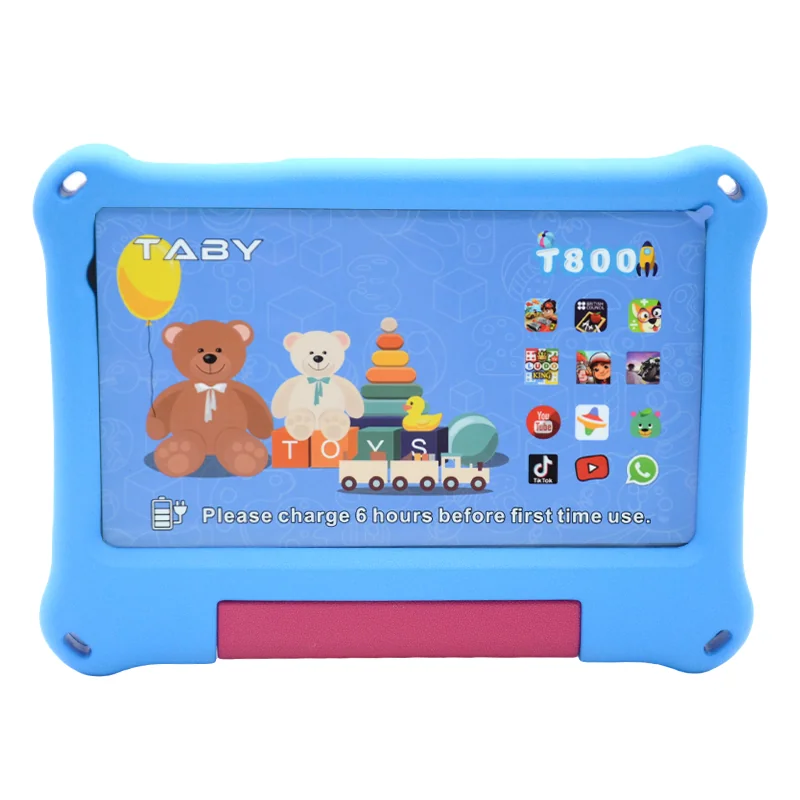
Look for OS-level integration rather than a bundled app. A device that exposes TTS and accessibility to other apps through the standard Android APIs will work with the specialist software your speech therapists and special educators already use. Current Wintouch kids tablet models such as the T1000, T800, and T755 can be configured with accessibility builds; the T740 and T750 cover lighter-weight deployments where screen reader performance is still validated. Ask the OEM to demonstrate the exact build, not a generic marketing sheet.
Navigating Accessibility Standards: EU vs. US vs. Global
Accessibility compliance is regional, and the standard that protects you varies by procurement geography. Your RFQ should name the standard, not assume the OEM knows which one you answer to.
| Region | Relevant standard / law | What it requires in practice | OEM action to de-risk you |
|---|---|---|---|
| EU / EEA | EN 301 549 plus European Accessibility Act | TTS, screen reader, keyboard & switch access; accessibility must be in the product’s documentation | Pre-certify the build; supply Declaration of Conformity |
| United States | Section 508, WCAG 2.1 AA (and ADA in school contexts) | Equivalent access for students with disabilities; documented testing | Provide VPAT / ACR document and test artifacts |
| SEA / MENA (emerging) | Varying national accessibility guidelines, often WCAG-derived | Increasingly referenced in tender documents for education ministries | Confirm language support and locally approved TTS voices |
From an expertise standpoint, the technical bridge between hardware and the WCAG 2.1 AA and EN 301 549 requirements is the Android Accessibility API. The screen reader must expose every interactive element correctly, TTS must work within the accessibility service, and focus navigation must be reliable. If the OEM claims compliance, require the audit trail—many certification options are build-specific, so the compliance must be quoted as part of your configuration, not as a separate post-sale promise. For a school district, this shifts liability to the manufacturer: a pre-certified device is your evidence in an audit. The three authoritative references to name in your RFQ are W3C WCAG 2.1, the EU European Accessibility Act, and US Section 508.
Risks to Avoid When Sourcing SEN Accessibility Tablets
Three risks consistently appear in failed SEN tablet deployments. Name them openly in your evaluation and you will filter out weak vendors quickly:
- Non-compliant features that fail audits. A vendor that says “it has a screen reader” but cannot produce test documentation will fail your compliance review. Demand documented testing against your named standard before you commit.
- Cheap TTS voices that disrupt learning. Low-quality engines with robotic prosody are proven to reduce comprehension in young readers. Insist on premium engine benchmarks—naturalness, language coverage, and offline availability—rather than a default engine.
- Untested third-party app compatibility. The screen reader must behave correctly inside your district’s existing SEN apps. De-risk by requesting a pilot sample unit, running your accessibility test suite in your environment, and asking for references from other SEN deployments of a similar scale.
Beyond these, keep the warranty scope explicit. Accessibility features built into the firmware should be covered by the same warranty as the hardware, so a failed accessibility update never becomes an unbudgeted repair. Parents and therapists also benefit from a dedicated kid-safe learning environment, so confirm the OEM can lock down the device while leaving accessibility services fully accessible.
Next Step: Talk to a Manufacturer Who Builds Accessibility In, Not As an Afterthought
OEM-built SEN tablets lower total cost of ownership, simplify compliance, and improve educational outcomes—because accessibility is engineered at the firmware level rather than layered on as an app. Ask the manufacturer about certification packages, pilot programs, and references from school district deployments. A short demo video of TTS, AAC, and screen reader in action is available on request; it is the fastest way to compare voice quality and screen reader behavior against your requirements before you commit budget.
Request a quote for accessible kids tablet OEM — specify your region, unit volume, and target standard, and we will respond with a configuration and certification plan within two business days.
FAQ: SEN Accessibility Kids Tablets
What is the difference between built-in TTS and a third-party TTS app on a kids tablet?
Built-in TTS lives in the device firmware and exposes its voice engine to every app through Android’s TextToSpeech API, so behavior is consistent across the whole device and survives app updates. A third-party TTS app is an overlay installed per-device: it can conflict with other apps, drift across configurations, and break after OS updates, which increases your support load and voids the warranty when root-level access is required.
Can we get a kids tablet with AAC and a screen reader pre-installed for OEM?
Yes. As part of an OEM build, the AAC symbol library and screen reader can be pre-loaded and configured in the base image, and validated against the Android Accessibility API. This eliminates per-device setup, keeps one warranty, and ensures every unit ships with identical accessibility behavior—specify your symbol set and the specific SEN apps you use in the RFQ.
How do SEN accessibility features affect the cost of OEM tablets?
Built-in features typically add a modest per-unit cost compared with a baseline consumer build, but they eliminate recurring third-party license fees, per-device IT setup, and warranty-exposing modifications. Across a district-scale deployment, the total cost of ownership usually drops—as in the Ohio example where assistive technology costs fell by about 30%.
Which accessibility certifications are required for kids tablets in the EU and US?
In the EU, the European Accessibility Act harmonized with EN 301 549 applies to most procurement; in the US, Section 508 and WCAG 2.1 AA are the reference points, with ADA obligations for school districts. Certification is often build-specific, so demand documented testing and the relevant Declaration of Conformity or VPAT as part of your quote rather than accepting a generic claim.