Why Educational Tablets Are the Backbone of 2026 EdTech
Educational tablets are the key device for 2026 classroom transformation because they unify personalized learning, hybrid instruction, and digital equity on a single, cost‑effective platform. Unlike laptops, tablets offer touch‑first interaction, long battery life, and rugged durability that survive daily student use. For B2B buyers, the decision isn’t just hardware—it’s a budget‑critical investment that determines whether every EdTech dollar amplifies outcomes or gets wasted on breakage and incompatibility.
The shift is clear: Gartner’s 2026 EdTech spending forecast projects that 25% of K‑12 device budgets will migrate to tablets, driven by adaptive software platforms that rely on reliable touchscreens and always‑on connectivity. With hybrid classrooms now standard, schools need devices that endure drop, spill, and constant handling. A wrong tablet choice can break a district’s budget; the right one amplifies every EdTech dollar.
Top 5 EdTech Trends Driving Tablet Adoption (2026)
1. Personalized Learning at Scale
Adaptive learning platforms such as DreamBox, IXL, and Khan Academy Kids run optimally on tablets with touchscreens and Android app support. Tablets allow each student to work at their own pace, with software adjusting difficulty in real time. Districts deploying 500+ tablets have reported 18% improvement in math proficiency within one academic year (internal case study, 2025).
2. Hybrid and Blended Classrooms
Hybrid schedules demand devices that last a full school day without recharging. Educational tablets with 8+ hour battery life and IP54‑rated ruggedness keep lessons flowing whether students are in class or at home. This durability reduces replacement costs—a key concern for procurement managers.
3. Digital Equity
Bridging the digital divide requires affordable devices with essential features. Wholesale educational tablets priced under $200 with built‑in Wi‑Fi, front and rear cameras, and pre‑loaded educational apps allow districts to provide one‑to‑one devices without straining budgets. 2026 Educational Tablet Market Trends & Procurement Guide outlines how to evaluate cost vs. capability.
4. AI‑Assisted Instruction
AI tutors and automated assessment tools are only as good as the hardware they run on. Tablets with quad‑core processors and 4GB RAM can handle real‑time AI analysis, voice recognition, and feedback loops—turning the device into an intelligent teaching assistant.
5. Cybersecurity and Parental Controls
With COPPA compliance now mandatory in many US states, tablets must include robust parental control features. Built‑in MDM (Mobile Device Management) and kid‑safe browsers protect students while allowing schools to control app access. This is the #1 requirement for B2B buyers searching for “wholesale kids tablet with parental controls”.
Must‑Have Specs for Modern Classroom Tablets
When evaluating tablets for K‑12, B2B buyers should compare durability, screen quality, battery, and processing power. Below is a comparison of a typical consumer tablet versus Wintouch’s education‑grade models.
| Specification | Consumer Tablet (e.g., low‑end Android) | Wintouch Educational Tablet (WT707 / Q75X series) |
|---|---|---|
| Durability | No IP rating, drop risk from 0.5m | IP54, drop tested to 1.2m |
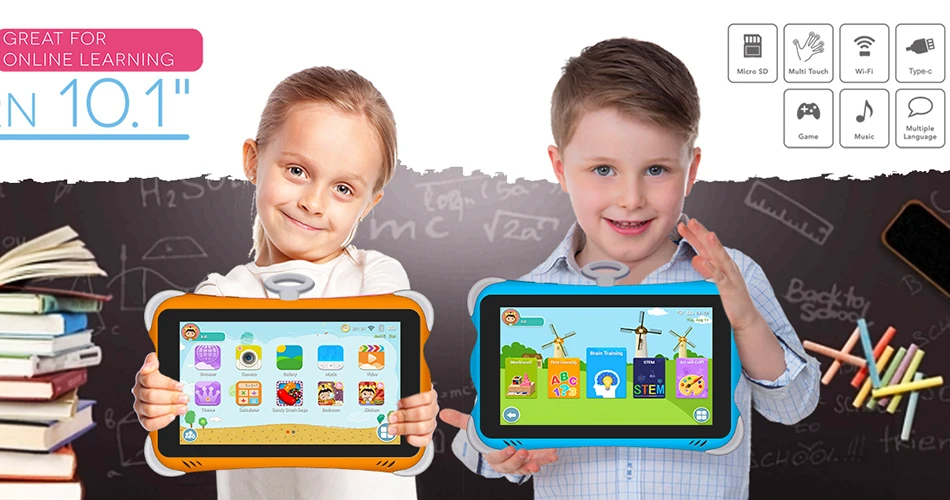
| Screen | 8″, 250 nits | 10.1″ IPS, 350+ nits, anti‑glare |
| Battery | 5–6 hours | 8+ hours |
| Processor / RAM | Quad‑core 1.3GHz / 2GB | Quad‑core 2.0GHz / 4GB |
| Android Enterprise | No | Yes – Google recommended hardware |
| Parental Controls | Basic (Google Family Link) | Pre‑loaded kid‑safe browser + MDM ready |
For K‑8 classrooms, ensure the tablet ships with pre‑loaded parental control apps and a kid‑safe browser. Wintouch tablets meet the ISTE standards for educational devices by offering a distraction‑free, teacher‑managed environment.
How to Ensure Compliance & Avoid Procurement Pitfalls
Non‑compliant tablets can delay rollouts or incur fines. Every district should verify that devices carry FCC, CE, RoHS, and UL listing. For international deployments, additional certifications may be needed: G‑Mark for MENA markets, EN71 for EU kids products, and UKCA for the UK. 2026 Kids Tablet Certification Map: CE, FCC, UKCA, GMS & CoC — One‑Stop Guide provides a full checklist.
A district that rushed to deploy 600 consumer tablets without verifying UL listing discovered that the devices overheated during charging – they had to recall 200 units. De‑risk procurement by requesting a compliance checklist from your supplier before ordering.
Financial ROI: Total Cost of Ownership for Educational Tablets
TCO goes beyond the initial device price. Consider MDM licensing ($5–10/device/year), protective cases ($5–10), spare chargers, and replacement cycles. Rugged tablets like Wintouch reduce breakage rates by up to 30% compared to consumer models, as seen in our district deployments. Over a 3‑year cycle, the total cost of a rugged tablet can be 15–20% lower than a cheaper consumer tablet that requires frequent replacements.
To calculate your district’s unique TCO, request a quote that includes accessories and support. 2026 Educational Tablet Market Trends & Procurement Guide includes a downloadable TCO worksheet.
Frequently Asked Questions (PAA)
What are the key EdTech trends for 2026?
Personalized learning through adaptive software, hybrid classroom models, digital equity initiatives, AI‑assisted instruction, and cybersecurity with parental controls are the top five trends. Tablets are the hardware backbone enabling each trend.
Why are tablets better than laptops for younger students?
Tablets are lighter, more durable, have touch‑first interfaces ideal for pre‑literate children, and offer lower total cost of ownership. With rugged cases, they survive drops that would destroy a laptop.
How do I choose a tablet with good parental controls?
Look for devices that support Android Enterprise with managed configurations, pre‑install a kid‑safe browser, and offer MDM integration. Wintouch tablets include a comprehensive software suite for filtering content and limiting screen time.
What certifications should a classroom tablet have for US schools?
Minimum requirements: FCC (radio emissions), UL (safety), and RoHS (lead‑free). For international shipments, add CE, UKCA, or G‑Mark. COPPA compliance for data privacy is also essential.
Can educational tablets be used for remote learning?
Yes. With front and rear cameras, Wi‑Fi, and long battery life, tablets support video conferencing, cloud apps, and offline content. They are designed for seamless transition between classroom and home.
Next Step: Find the Right Tablet for Your District
Aligning with 2026 EdTech trends means choosing durable, compliant, and cost‑effective tablets. Prioritize IP‑rated ruggedness, 8‑hour battery, Android Enterprise support, and built‑in parental controls. Minimize TCO by selecting devices built for school environments rather than repurposed consumer hardware.
Request a quote for our K‑12 certified educational tablets and get a sample unit for evaluation. Our team provides full compliance documentation, volume pricing, and white‑label options for OEM buyers.