The short answer: Wi-Fi 7 on commercial tablets pays back when four conditions line up at once — a Wi-Fi 7-capable access-point estate, usable 6 GHz spectrum approved in the country of installation, genuinely high client density or real-time traffic on the same floor, and a backhaul fast enough not to be the bottleneck. Where any one is missing, stay on Wi-Fi 6E and spend the delta on the AP side or on spares.
That four-part test is the position Data Wire Solutions takes in its 2026 upgrade guide — best gains only when a compatible client, 6 GHz access, clean channel conditions and an adequate wired path coincide (datawiresolutions.com). For a tablet fleet it has a hard commercial consequence: the per-unit BOM premium buys nothing on its own. It is a multiplier on infrastructure you either already have or still have to fund.
This page is therefore not another specification walkthrough — the antenna, band and certification detail belongs in our connectivity sourcing checklist [internal: post 1075], which covers selection once the payback decision is made. Here the question is narrower and more expensive: which of your sites earn the premium back, and which should not receive it?
What the premium actually buys — four mechanisms, four buyer-visible outcomes
Every Wi-Fi 7 benefit claim you will see in a tender document traces back to one of four mechanisms. Translate each into the operational outcome your finance approver cares about before you defend the line item.
- 6 GHz clean spectrum → fewer retries at peak. The band is comparatively uncongested, so tablets compete with fewer neighbouring networks on a busy retail floor or exhibition hall. This is the mechanism behind fewer POS re-associations during trading hours. It is also the mechanism that disappears entirely if the destination country has not opened the band — the tablet cannot use spectrum that is not authorised.
- Wider channels, up to 320 MHz → faster large-payload refresh. Relevant to signage content pushes, large configuration deployments and image-heavy field workflows. Irrelevant to transactional traffic, and only realised if the access point supports the channel width and the client negotiates it. Vendors publish maximums; the negotiated value at your site is what you should test.
- Multi-Link Operation (MLO) → fewer latency spikes on mixed floors. Aggregating bands helps when staff handhelds and customer devices share the same airspace. Honest caveat: early MLO interoperability behaviour differs by client chipset, so validate against your own device list rather than a vendor compatibility matrix alone.
- OFDMA scheduling at high client counts → stable concurrency. This is the mechanism that keeps 40+ tablets in a classroom or a warehouse aisle responsive during a synchronised push. It is an access-point-and-tablet combination claim, never a tablet-only claim, and it belongs in AP capacity planning.
SimpleFiber’s business comparison makes the compatibility point plainly: Wi-Fi 7 is backward compatible with Wi-Fi 6 and Wi-Fi 5 devices, but taking full advantage of its features requires Wi-Fi 7-capable hardware on both sides (simplefiber.com). A Wi-Fi 7 tablet dropped onto a Wi-Fi 6 estate is a backward-compatible client paying a premium for mechanisms it will not activate.
Scenario verdicts: where the premium earns back, and where it does not
Use this table as the working page of your approval pack. The verdict column is conditional by design — no scenario upgrades on technology alone.
| Deployment scenario | What triggers the benefit | Verdict | Verify before signing |
|---|---|---|---|
| Dense retail POS with customer Wi-Fi | High neighbouring-SSID count and peak concurrent clients per AP at the till line | Conditional upgrade | Passive survey at busiest hour; AP vendor’s per-AP client capacity at your channel width |
| Warehouse / AGV / handheld roaming | Cross-AP handover across aisles and racking, not headline throughput | Upgrade only after AP and tuning work is funded | Integrator’s roaming and KPI tuning checklist; bands supported by the AGV or handheld vendor |
| Classroom 1:1, 40+ concurrent tablets | Simultaneous content sync and assessment traffic on one AP | Strongest upgrade case | Per-AP client capacity at classroom channel width; 6 GHz backhaul plan; AP refresh already budgeted |
| Digital signage video walls | Large, frequent playlist and asset refresh over wireless | Conditional — often no | Daily payload per display versus site backhaul; whether the display can simply be cabled |
| Field service and inspection | Photo and video upload from congested public or shared networks | Conditional upgrade | Whether field sites expose 6 GHz at all; uplink capacity on the mobile path |
| Low-density back office | Transactional traffic, few concurrent clients | Stay on Wi-Fi 6E | Whether existing 6E already supports the applications without disruption |
| Single-AP small store | Low client count on one radio | Stay on Wi-Fi 6E | Realistic peak client count; whether the AP will ever be upgraded within the fleet’s life |
| Ethernet-docked fixed kiosk | None — traffic never traverses the radio | Do not pay | Confirm the device is permanently docked; remove the wireless argument from the business case |
One market signal, stated with its limits: IDC data reported by SPTel puts 60% of global enterprise WLAN spending on Wi-Fi 6E and Wi-Fi 7 (sptel.com). That describes where access-point budgets are moving. It says nothing about tablet-level payback, and the reported figure carries no published method or sample in the excerpt — treat it as direction of travel, not as a justification line in your business case.
Retail POS and customer-facing floors
The trigger metric is not the standard. Count the neighbouring SSIDs visible at the till line and the peak concurrent clients per AP at your busiest hour. If that peak sits comfortably within what your current Wi-Fi 6E APs handle on clean 5 GHz, the tablet premium is difficult to defend on this scenario alone — the outcome you are buying is fewer “till offline” incidents, and you have no incident history to eliminate.
Run a passive survey at peak before committing the fleet premium. A survey taken on a quiet Tuesday morning will flatter any configuration.
Warehouse, AGV and handheld roaming
Here the business cost is a dropped scan session or a stalled pick confirmation — not a slow file copy. Roaming quality is set mainly by AP density, controller or MDM roaming tuning and channel plan, not by the tablet’s supported standard. A Wi-Fi 7 tablet on an under-tuned AP estate will not fix handover behaviour; it will simply cost more while not fixing it.
Upgrade the tablet only once the AP-side and tuning work is funded in the same cycle. Ask your integrator for the roaming and KPI tuning checklist they will apply, and confirm which bands the AGV or handheld vendor actually supports before paying the delta.
Classrooms and training rooms
Density is the whole argument: 40+ concurrent tablets in one room, synchronised content distribution and assessment traffic, and a single AP covering the space. OFDMA scheduling and available band capacity are why the class stays responsive during a simultaneous push — provided the AP is dimensioned for it.
This is the scenario where the premium is easiest to justify, on one condition: the school’s AP refresh is already funded or budgeted in the same purchasing cycle. If the APs stay as they are, the tablets will run as Wi-Fi 6E clients at a Wi-Fi 7 price.
Digital signage and fixed installations
Separate content refresh from static menu boards. Frequent large video asset pushes can justify wider channels; a static menu needs almost none of the premium. And a fixed video wall on Ethernet or a permanent dock removes the wireless argument altogether — do not pay a radio premium for a cabled device.
Size the daily payload per display and compare it against the backhaul at that site. If the wired path is the bottleneck, Wi-Fi 7 on the tablet changes nothing measurable.
When Wi-Fi 6E is the right answer: the “do not pay for it” list
This section exists because it is the one your supplier is least likely to write. Do not approve the per-unit premium if any of the following is true:
- 6 GHz is not approved for use in the country of deployment, or approval is pending at the time of the order.
- The AP estate will stay on Wi-Fi 6 or 6E for the whole service life of the fleet.
- Sites are single-AP with low, well-understood client counts.
- Devices are Ethernet-docked or fixed and rarely rely on the radio.
- Traffic is transactional with low concurrency — payment authorisations, scan confirmations, form submissions.
- You refresh tablets faster than you refresh access points, so the tablet outlives the infrastructure that would activate its features.
The commercial consequence of paying anyway is specific: a higher per-unit BOM that is invisible in the user experience and difficult to defend in a post-implementation review. Spiceworks frames the same caution for enterprise buyers generally — comparable, standard-specific financial returns for ordinary office workloads are not yet established, and where existing Wi-Fi 6 or 6E already supports the applications without material disruption, a new standard has fewer immediate costs to remove (spiceworks.com).
Spend the delta instead on the AP refresh that unlocks the features later, on spare units that reduce swap-out downtime, on MDM licensing, or on the site surveys that tell you whether any of this is needed. Then re-open the tablet question in the next cycle with evidence.
The payback worksheet you can fill in before you sign
We deliberately publish no BOM delta, throughput or battery figures here. Those depend on the exact configuration — SoC, Wi-Fi module, antenna design, chassis and certification scope — and must come from a written configuration quote for your build. Anyone quoting you a flat per-unit premium before those choices are fixed is guessing.
Cost side (fill from quotes and internal estimates):
- Per-unit BOM delta × fleet size = ______
- AP and controller upgrade at each site = ______
- 6 GHz approval, re-certification and labelling effort = ______
- MDM, roaming and QoS re-validation labour = ______
Benefit side (fill from your own incident and tender records):
- Avoided site visits per year × cost per visit = ______
- Avoided swap-out rate × replacement and labour cost = ______
- Pipeline value protected where Wi-Fi 7 / 802.11be is a stated tender requirement = ______
The third benefit line is the one buyers under-report. In tenders that specify 802.11be, the avoided cost is not performance improvement — it is disqualification. Quantify it as the value of the pipeline you would lose by bidding a non-compliant device, and check the tender language verbatim rather than paraphrasing it.
Worksheet inputs to collect before any of the above: SSID count at the busiest hour, peak concurrent clients per AP, target channel width, backhaul capacity per site, country 6 GHz approval status, who owns MDM and roaming tuning, tablet and AP refresh dates, and the quoted tender clause. For custom builds, the non-recurring engineering and tooling line sits alongside the per-unit delta — our custom tablet ODM NRE and tooling cost breakdown sets out what belongs in that line.
Four hidden costs buyers forget to fund
- AP-side and controller upgrade. The tablet premium is only half the spend. Without a Wi-Fi 7-capable AP estate, none of the four mechanisms activate.
- Per-country 6 GHz regulatory approval. Status differs by market and changes over time. Treat it as a to-verify item with the local regulator or your certification partner — never as an assumption carried over from a datasheet.
- MDM, roaming and QoS tuning labour. A new standard means re-validating profiles, band-steering policy and roaming thresholds across the fleet. Budget the engineering days, not just the hardware.
- Power and thermal budget. Wider channels and multi-link operation change radio duty cycle. Request the power-consumption test report for the exact model under your intended use profile instead of accepting a generic battery-life claim from any supplier, including us.
These are line items to add to the business case before approval — not reasons to avoid the upgrade.
Frequently asked questions
Is Wi-Fi 7 backward compatible with our existing Wi-Fi 6 access points?
Yes. Wi-Fi 7 devices associate with Wi-Fi 6 and Wi-Fi 5 infrastructure, as SimpleFiber notes in its business comparison. The relevant question is commercial, not technical: on a Wi-Fi 6 estate the premium is paid but the 6 GHz, wide-channel and MLO mechanisms stay dormant.
How many tablets can one access point realistically support in a classroom or on a retail floor?
There is no standard answer and we will not manufacture one. Ask your AP vendor for per-AP client capacity at your chosen channel width, then validate with a survey at your peak concurrency.
Does a Wi-Fi 7 tablet use more battery than a Wi-Fi 6E model?
It depends on radio duty cycle under your workload, which is why we quote from a test report for the specific model rather than publishing a generic figure. Ask any supplier for the same artefact.
How do I check whether 6 GHz is approved in the country we are deploying to?
Check with the national regulator or your certification partner, and confirm the approval covers the specific device configuration and intended use. Ask your supplier to state in writing which certifications are granted for the destination market and which are pending.
Will buying Wi-Fi 7 tablets keep us eligible for tenders that specify 802.11be?
It removes the technical disqualification, provided the quoted configuration actually carries the required radio and the certification for that market. Read the tender clause verbatim before assuming either.
Next step: quote both configurations, survey your sites, then decide
Approve the premium only where 6 GHz is approved for the destination market, the AP estate is Wi-Fi 7-capable within the fleet’s service life, and concurrency is genuinely high. Everywhere else, a Wi-Fi 6E configuration is the better use of the budget — and we will quote it alongside the Wi-Fi 7 build so the comparison is like-for-like on the same chassis, the same SoC family and the same certification scope.
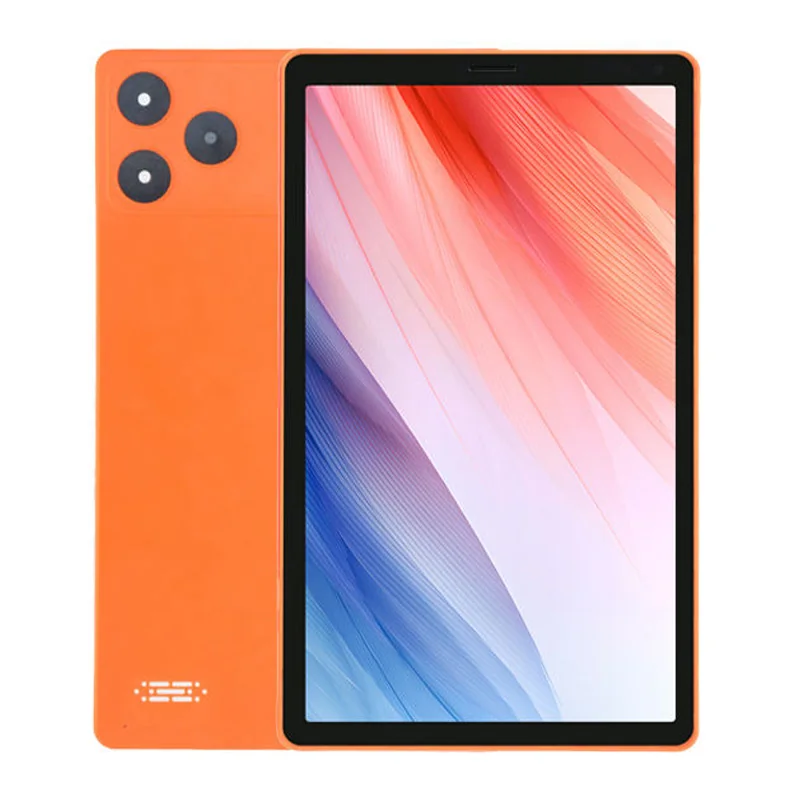
Start from our Snapdragon 685 11.97-inch business tablet or the T616 11.97-inch business tablet as the base platform for a retail, classroom or field-service fleet, and tell us the country of deployment, peak client density and AP vendor at each site. We will return two configurations, the certification status for each destination market, and the survey inputs your integrator needs.
Request a Wi-Fi 7 configuration quote plus an RF site-survey worksheet for your deployment. Send your site list, concurrency estimates and tender clause, and we will respond with both the Wi-Fi 7 and Wi-Fi 6E builds side by side.